Agentic AI Interface
Mini Case Study
The challenge
The challenge was to produce an accessible agentic AI experience.
The process
I wanted to explore how to create an accessible agentic AI experience—one where the AI assumes a specialized role to provide expert guidance. To do this, I needed a functional MVP. Building one required me to get up to speed quickly with new technologies (React, NextJS and Langchain). I started by getting boilerplate from Cursor and "leveled up" until I had a working product capable of maintaining a consistent persona and reasoning through complex tasks. Once the logic was sound, I began focusing on making that experience accessible:- The screen reader user: needed focus and state management along with the capability to hear new, role-specific chat content.
- The keyboard user: needed a discernable focus along with focus and state management to navigate the interative nature of the agent's responses.
The approach
After running automated tests and seeing 0 issues, I moved to manual keyboard testing. It revealed a critical UX gap: when a question was submitted, focus was lost. For an agentic experience, where the user is in an iterative loop with an expert persona, losing focus breaks the collaborative flow.
Testing also uncovered a "Persona reset" bug: follow-up questions were failing because the selected persona wasn't persisting across the chat chain. To a developer, the UI looked fine, but to a user, the AI had "dropped character." I realized that for an agent to be effective, state management had to be 100%. I resolved this by mapping the persona to a persistent state, ensuring the persona remained and then used React useRef to return the user's focus to the input for the next step in the loop.
The solution
- State persistence: for the chat input, mapped the "Enter" key to a Command dispatcher to pick up the user's chosen persona so that it persisted throughout the chat. The default is set to the first button on the page.
-
Focus management:
- Placed initial focus on the input and set a default persona
- Used React useRef to restore focus to the input, post-submission
- When a button is clicked, restored focus to the input and retained the persona used
- ARIA attributes:
- Button: aria-controls="[Chat-content-ID]", toggle for aria-pressed. I used aria-pressed and not aria-selected because of the html structure and the intent. The buttons aren't part of a tabset. And they are intended to indicate a selected state until toggled off. I didn't add aria-expanded or aria-haspopup="dialog" on the button because the chat content area is always open.
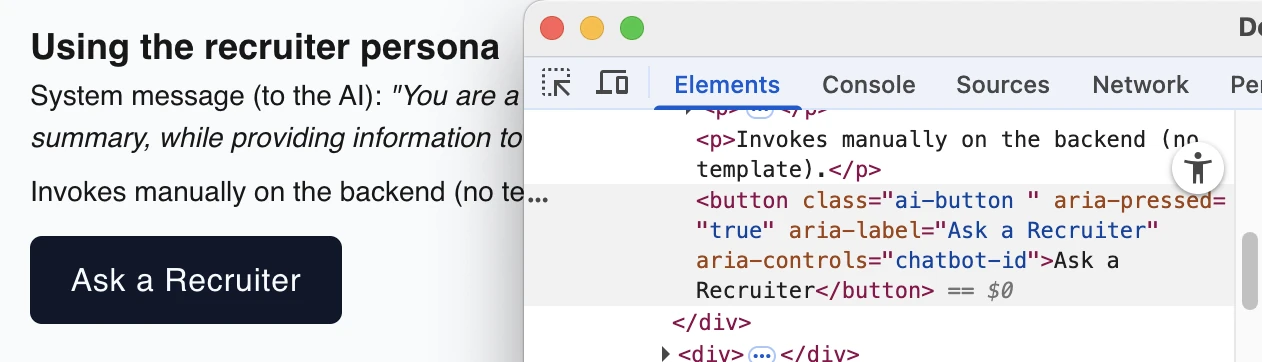
The button uses aria-pressed="true" as part of maintaining the persona state. - Chat content area: role="log", aria-live="polite", aria-atomic="false", aria-label=[myChatAreaName], and toggle for aria-busy (set by the triggering button). Though role="log" implicitly has aria-live="polite" and aria-atomic="false" features, users with older technology can benefit from having those attributes explicitly set.
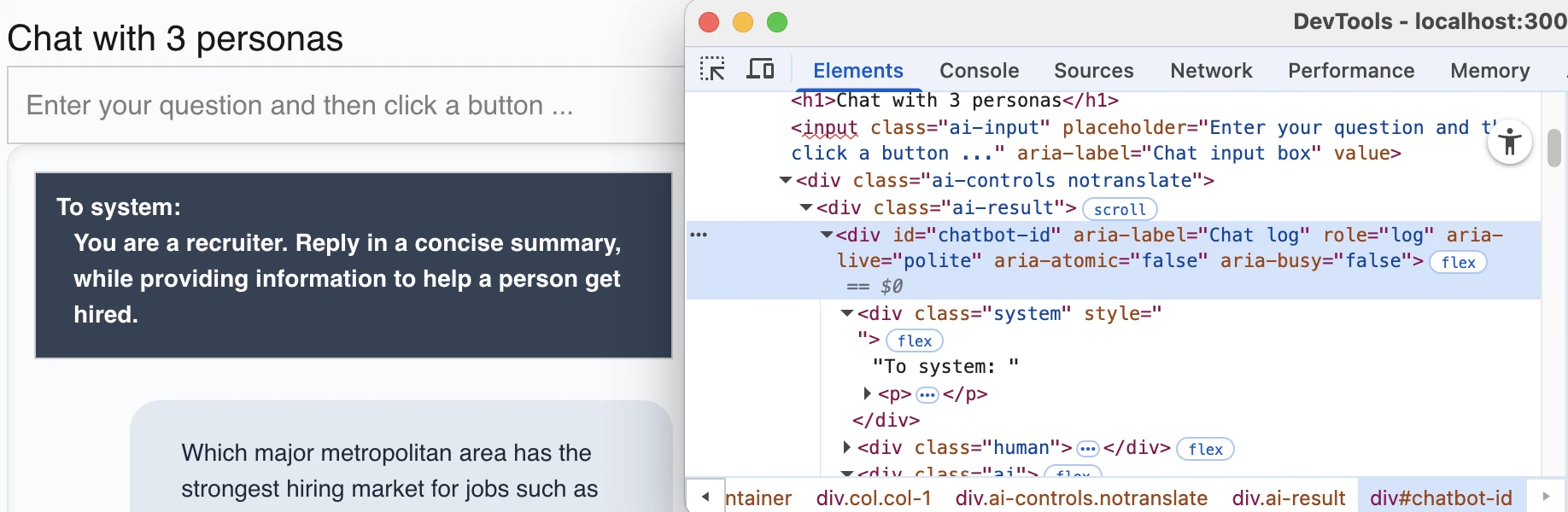
The chat area explicitly holds the aria-live and aria-atomic attributes for users with older technology.
- Button: aria-controls="[Chat-content-ID]", toggle for aria-pressed. I used aria-pressed and not aria-selected because of the html structure and the intent. The buttons aren't part of a tabset. And they are intended to indicate a selected state until toggled off. I didn't add aria-expanded or aria-haspopup="dialog" on the button because the chat content area is always open.
The result
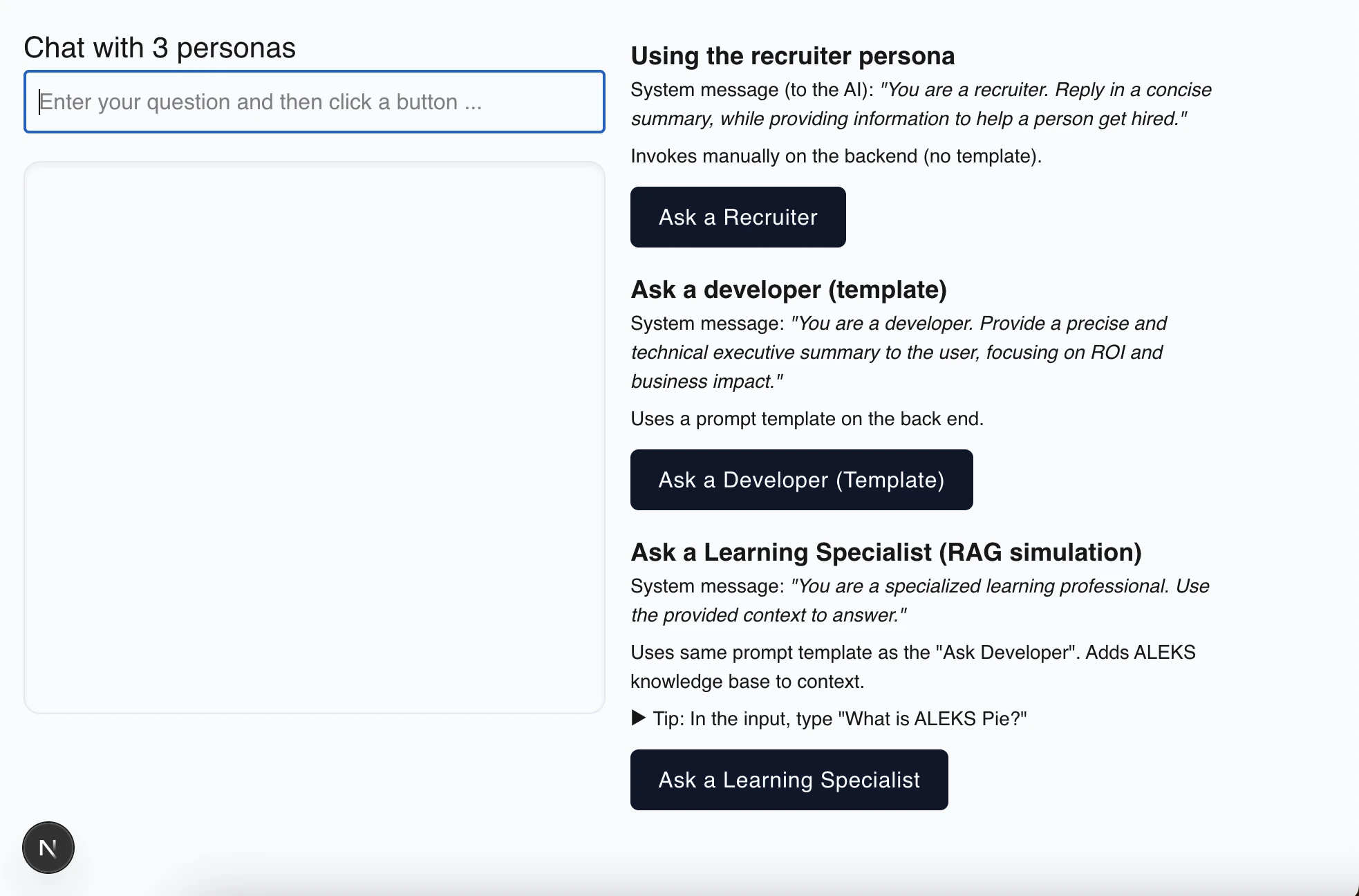
A fully compliant, accessible chat interface that passes all keyboard and screen reader audits.
The takeaway
Automation is a baseline, not a ceiling—it reported 0 issues. Keyboard testing revealed about 80% of the problems. And while the screen reader revealed only a few issues, those issues were of the utmost importance.
Going forward
- Host this on Vercel.
© 2025, Carol Robertson